top of page

What Documents Do I Need to Submit with my Request?

  • May 4
  • 1 min read

Updated: May 11

Some Requests (Applications) will require additional forms, letters, signatures, or documents to be submitted along with the questionnaire. It is important to note that this does not apply to every Jurisdiction, or every Request type, but it should be recognizable when this is required.

When locating a Request on the Customer Portal, you might see provided documents linked below the name, such as in this example:
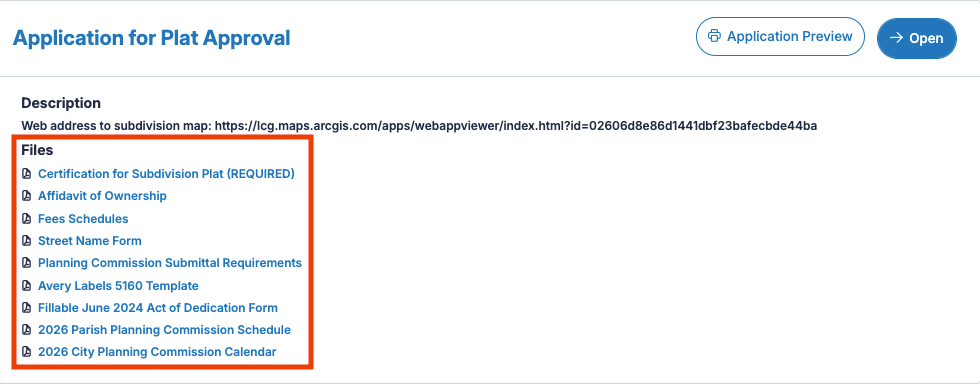
Application for Plat Approval files, including Fee Schedules


In many cases, your Jurisdiction will provide documents such as these so they can be filled out and submitted along with your Request. Others are there purely to convey important information.


If you are required to submit one of these documents, you are able to do so at the Document Upload portion of the questionnaire process:
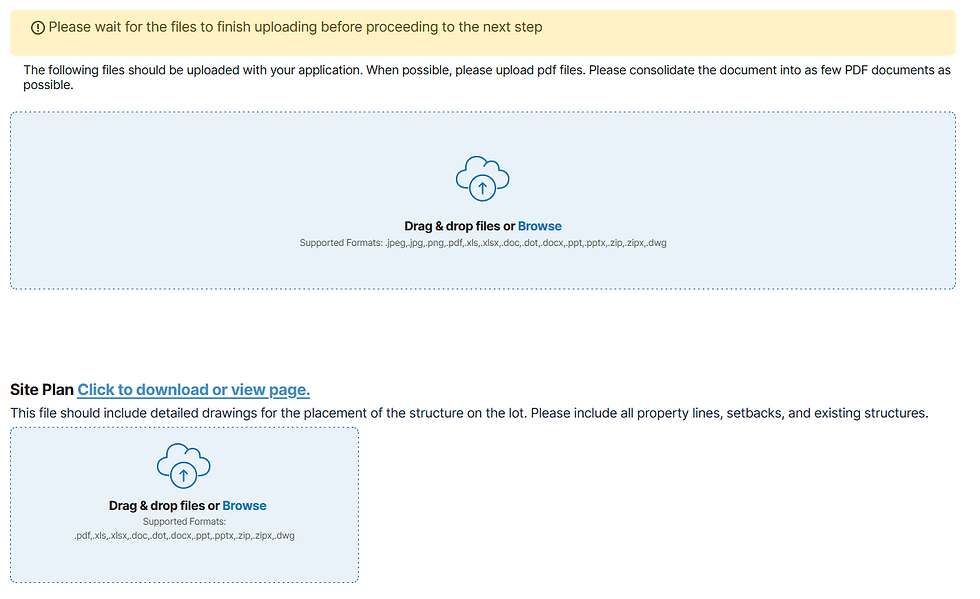
Application file upload form with site plan section


Recent Posts

See All
Code Compliance/Solution Center

This article will guide you on how to submit a Code Compliance complaint with Jurisdictions that offer it through the MGOconnect Customer Portal


Apply as a Subcontractor (Add to Existing)

'Submission to Existing' or ‘Add to Existing’ is the terminology used for associating a new sub-permit with an existing “Parent” permit. The most common scenario for this is a Trade Subcontractor appl


Project and Request Statuses

Projects and Requests may exist in a variety of different Statuses. Statuses are an important part of the permitting process for your jurisdiction, as it labels items clearly, and can come with preset


bottom of page